Many Customer Relationship Management (CRM) systems promise to boost productivity and streamline workflows. Yet in practice, most teams only use a small fraction of what is available. It is like buying a Swiss Army knife and only using the bottle opener. The result is often wasted budget, underused tools, and CRM systems that fail to deliver value.
For businesses evaluating the best CRM tools Southeast Asia has to offer, the challenge is not a lack of options, but knowing which features actually drive adoption and revenue impact. By the end of this post, you’ll know exactly where to invest your attention and which shiny bells and whistles to avoid.
→ View our related article here CRM vs ERP: Which System Do You Actually Need?
Quick Summary: What are the most important CRM features?
The most essential CRM features every business should prioritise are:
-
Customer information management
-
Activity tracking and interaction history
-
Pipeline or deal tracking
-
Task management and reminders
-
Basic reporting and integrations
These features form the foundation of a reliable marketing and sales system.
Table of contents: CRM features that matter for SMEs
- What is a CRM and why it matters
- The Core Essentials of a CRM every business needs
- Critical CRM Features for Long-Term Growth
- Optional CRM features to consider later
- CRM Features That Look Impressive but Add Little Value
- How to prioritise CRM features for your business
What is a CRM and why it matters
Simple definition: A CRM (Customer Relationship Management system) is a software tool that helps a business store, organise, and manage all interactions with leads and customers in one place.
Even a simple setup can eliminate many common business inefficiencies.
→ For a more detailed look into what a CRM does for you, read more in “What is a CRM Software?"
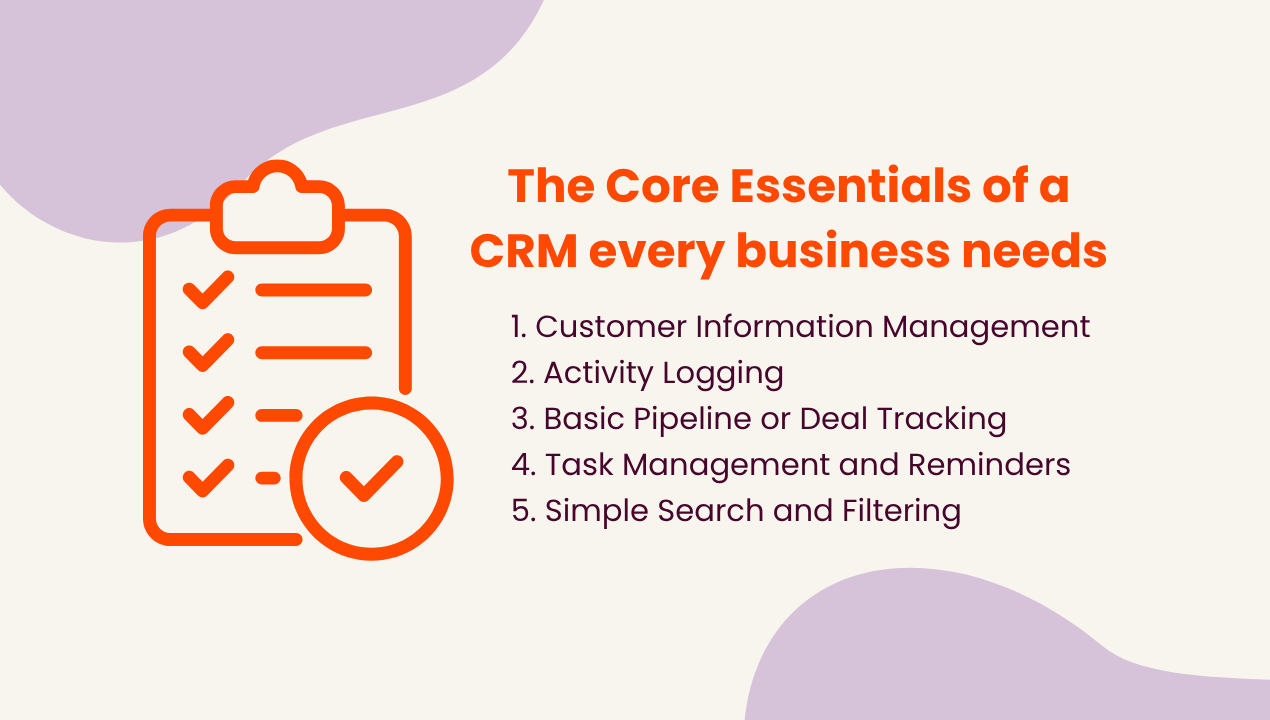
The Core Essentials of a CRM every business needs in Southeast Asia
Is it really a CRM if it does not have these functions?
When evaluating an affordable CRM for sales teams, these are the non-negotiables that determine whether the platform you choose actually supports daily selling activity or becomes expensive, underused software.
1. Contact & Lead Management
A centralised database of contacts, leads, and prospects is the beating heart of any CRM. Segmentation and tagging allow your team to organise leads meaningfully, ensuring nobody gets lost in the shuffle. Think of it as a well-organised filing cabinet that doesn’t eat your documents.
2. Activity History & Follow-Up Tracking
Logs of emails, calls, meetings, and interactions are crucial. Add reminders and next-action prompts, and suddenly no lead slips through the cracks. Your team will thank you, and so will your revenue pipeline.
3. Sales Pipeline Tracking & Deal Management
Visual deal pipelines offer an instant overview of where each sales opportunity stands. Tracking stages, status, and potential revenue allows you to forecast with confidence rather than guessing.
4. Task & Reminder Management
Automated follow-ups and task assignments keep the wheels turning smoothly. Without them, even the most enthusiastic sales rep can drop the ball.
5. Search & Basic Data Management
A CRM is only as good as how easily you can access the data inside it. Simple search, filtering, and import/export functions make information retrieval painless.
Key Takeaways: Base CRM features for simplicity
It may look like the bare minimum, but if you are looking to save money on features that are optional, this is all you need to get an upgrade from just spreadsheets.
These are the core building blocks of any CRM, including the main tools Southeast Asian companies evaluate when moving from spreadsheets to a structured sales process during the first year.
Critical CRM Features for Long-Term Growth in Southeast Asia
Once the basics are in place, these features support scalability and long-term adoption. These elements are often neglected in early evaluations but are crucial for avoiding “CRM fatigue” and keeping systems usable as your business grows.
.png?width=708&height=402&name=%E9%BB%84%E6%A6%9C%20(%E9%95%BF%E6%9C%9F%E5%8F%91%E5%B1%95%E8%AF%A5%E6%9C%89%E7%9A%84%E5%8A%9F%E8%83%BD).png)
1. Basic Reporting and Analytics
Track key metrics such as:
- deal conversion rates
- pipeline value
- team performance
Even lightweight dashboards can make a big difference. Generate simple charts showing deal counts by stage, conversion rates, or team performance so that managers can spot trends and adjust tactics.
2. Integration with Existing Tools
Connect your CRM with:
- email platforms (gmail, outlook email…)
- Calendars (Google calendar etc.)
- communication tools (Slack, Teams etc.)
This reduces manual data entry, avoids double‑copying notes, and creates a unified system for customer interactions.
3. Ease of Use
Prioritise a CRM with:
- an intuitive interface
- straightforward navigation
- minimal training requirements.
CRM adoption studies repeatedly show that clunky, overly complex interfaces are a top reason teams abandon the system. A clean, self‑explanatory design encourages daily use and reduces friction.
4. Data Import and Export
Support for data import and export ensures:
- easy onboarding
- system migration flexibility
- data backups
This basic flexibility is essential for long‑term governance and disaster recovery.
5. User Permissions
- Set clear access levels so that sensitive data is visible only to those who need it.
As your team expands and you onboard partners or contractors, structured permissions help maintain compliance and protect customer information.
6. Automation and Workflow Features
Automation enables:
- lead nurturing workflows
- follow-up sequences
- internal notifications
If your business relies on email campaigns, lead nurturing, or follow‑up sequences, automating these workflows inside your CRM becomes essential for scalability. However, automation only improves efficiency when your data and pipeline are already structured. Without clean records and clear stages, automation will only amplify errors instead.
Key Takeaways: CRM features that support long-term growth
Prioritising these features helps future‑proof your CRM and makes it easier to adapt processes as your business evolves.
- Reporting improves decision-making
- Integrations reduce manual work
- Automation supports scalability
By ensuring the system can scale with your needs, you reduce the risk of the CRM becoming a wasted investment due to poor implementation or limited capacity.
→ Already choosing a platform? Read our CRM comparison guide for SMEs in Singapore
Optional CRM features that SEA business should add later
Once your core and critical layers are stable, you can consider enhancements that optimise your experience. These features can add polish and convenience, but they should only be introduced after strong adoption of core systems.
|
Feature |
Pros |
Cons |
|
Advanced User Permissions |
Granular control over who sees which records or fields, improving data security and compliance. - Important for big, multi department corporations or multi-region businesses. |
Increases setup time and ongoing administrative overhead. |
|
Mobile‑Responsive Design |
Allows field sales, account managers, and consultants to update records on the go, improving responsiveness. |
May be redundant for desk‑bound teams with limited remote work. |
|
Customisability |
Enables tailored workflows, fields, and automations to match your unique processes. |
Can become high‑maintenance and require ongoing training and support. |
CRM Features That Look Impressive but Add Little Value
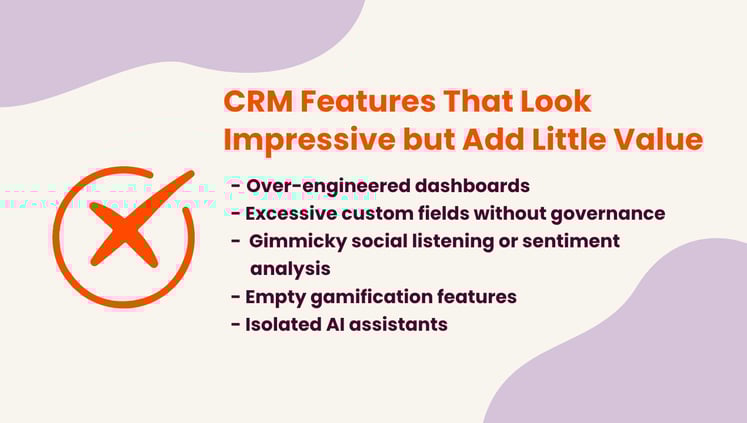
Many CRM features look impressive on a sales deck but rarely deliver real‑world value in day‑to‑day use. Here are several that commonly fall into the “all flair, little usability” category:
Over-engineered dashboards
Dashboards packed with excessive charts and vanity metrics but kill usability. If insights are not clear or actionable, they become decorative rather than useful. Focus on a small set of decision-driven metrics.
Excessive custom fields without governance
Unlimited custom fields can quickly lead to messy, inconsistent data. Without clear structure and ownership, reporting breaks down and the CRM becomes difficult to trust.
Gimmicky social listening or sentiment analysis
These features often look innovative but rarely influence real workflows. If insights do not trigger actions, they add little operational value.
Empty gamification features
Leaderboards and badges lose impact if not tied to real incentives or performance outcomes. Over time, they become distractions rather than motivators.
Isolated AI assistants
AI tools without access to emails, notes, or deal context produce weak recommendations. Without integration into daily workflows, they remain underused.
Key takeaways: Avoid unnecessary complexity
- Focus on actionable features
- Avoid tools that do not support workflows
- Prioritise usability over novelty
How to prioritise CRM features for your business in Southeast Asia
Whether you’re comparing global platforms or evaluating the best CRM tools Southeast Asia businesses rely on, the decision should come down to usability, adoption, and real impact on follow-ups, not feature lists that look good in a sales deck.
Choosing the right CRM depends on your business size, processes, and growth goals. You should also consider implementation quality. Even the best CRM can fail without proper setup. A CRM only delivers value when your team actually uses it. Follow this progression:
1. Start with the fundamentals
Clean contact data, consistent activity logging, and a clear pipeline.
2. Layer in critical features
Add reporting, integrations, and ease of use once adoption is stable.
3. Scale with advanced features later
Introduce automation and customisation only when your processes are ready.
This approach keeps your CRM reliable, scalable, and aligned with real business needs.
Next Steps for SEA CRM Success
Now that you have gone through what you may or may not need in a CRM, you are now ready to start your own research on the multitude of CRM systems available on the market!
Refer to our related articles below for more tips and guides on CRM implementation:
.png)