
.png)
Move over LLMs, get ready for Agentic AI.
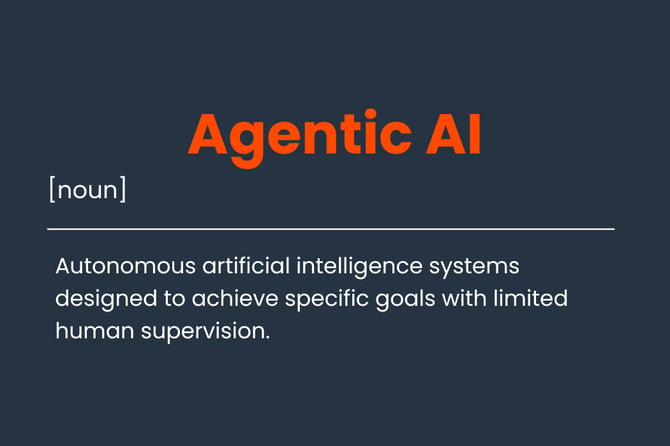
The next step in the AI Era is already happening right now. Agentic AI is a new model of AI that has some amount of agency (the ability to function independently) and can carry out decision making by itself (IBM, 2026).
AI is moving away from question and answer systems to models that can interpret a goal, plan several steps, use connected tools and act with limited supervision.
Sounds powerful, right? That is where agentic AI in CRM changes the conversation.
Working agentic AI into your CRM brings a new round of possibilities, beyond just generating text and answering questions.
What is Agentic AI in CRM?
Agentic AI in CRM is an AI system that uses customer data and business rules to pursue a goal, such as qualifying a lead, resolving a support request or reducing churn.
The added layer allows your AI Agent to perform a chain of events. They can read the situation around a customer, work out what needs to happen next, and help move the deal or conversation along. Depending on the permissions it has, it might recommend an action, carry it out, and then check whether it produced the intended result.
That does not mean handing your keys over to an unsupervised machine.
Agentic AI works best when its goals, permissions and limits are explicit. The system may draft a follow up email, create a task or route a support request automatically, while a person remains responsible for pricing decisions, sensitive conversations and exceptions.
That is how Agentic AI fast-tracks your current process to move forwards.
How does Agentic AI work inside a CRM?
Agentic AI follows a repeating action loop:
Signals → Context → Decision → Approved action → Outcome → New signals
1. Gather customer signals
The agent collects relevant information from the CRM and connected systems, such as:
- Contact and company records.
- Sales emails, calls and meeting notes.
- Website, form and campaign activity.
- Customer service conversations and ticket history.
- Connected messaging channels and product usage data.
The quality of the result depends heavily on the quality of these signals. If customer records are fragmented or outdated, the agent may act confidently on an incomplete picture.
2. Build context
The agent then connects the signals. A prospect downloading a pricing guide means something different if they are an existing customer, have spoken to sales twice or are already assigned to another account executive.
Context may include the customer’s lifecycle stage, previous objections, account value, relationship owner, response time and relevant business policy. This is the part that separates useful CRM intelligence from a generic prompt pasted into a chatbot.
3. Determine the next best action
The agent compares the situation with a defined objective.
For instance, a sales agent might be instructed to identify high intent leads and create a follow up task within one business day. A service agent might look for unresolved requests, check the customer’s history and route anything involving billing, refunds or legal risk to a person.
The objective matters. An agent told only to “increase conversions” may optimise for speed while ignoring customer fit or brand trust.
4. Execute within boundaries
Depending on its permissions, the agent might take action. These are just some examples an agent can do with the information in CRM according to the goal that you have set:
- Recommend an action to a sales representative.
- Create a task or notification.
- Update selected CRM properties.
- Draft, but not send, a customer message.
- Route a lead or support request.
- Trigger a workflow.
- Escalate the case to a human.
Responsible AI governance requires explicit limits around data access, action authorisation, audit logs and human sign off for high risk decisions. (Salesforce, 2026)
5. Measure and refine
The loop does not end when the agent takes action to achieve an outcome. Teams should review whether the recommendation was accurate, whether the customer responded and whether the business outcome improved.
A practical CRM team might begin with a narrow use case: routing inbound leads based on fit and intent. After reviewing false positives, missed signals and sales feedback, it can refine the rules before allowing the agent to take further action.
From Data To Action
In other words, agentic AI turns customer data into action by connecting the dots between what a customer does, what that behaviour means and what should happen next. It can identify a buying signal, recommend a follow up, create a task, route a request or trigger an approved workflow. It works independently within clearly defined permissions and guardrails, helping teams overcome bottlenecks without handing over control. People remain responsible for oversight, judgement and the decisions that matter most.
How should businesses introduce agentic AI in CRM?
Start with a workflow where the objective is measurable, the data is available and the risk is manageable.
- Define the outcome, such as faster lead response or improved ticket routing.
- Map the signals the agent can use and identify unreliable data.
- Set permissions for reading, recommending and changing CRM records.
- Decide which actions require approval and which can run automatically.
- Create escalation rules for uncertainty, sensitive requests and exceptions.
- Review results regularly and expand autonomy only when performance is reliable.
But before that, there is one important thing you need to do which will affect the AI's judgement.
Provide the clean data that your AI agents can work with.
→ Learn more in our related article "Your AI Agents Cannot Fix Business Data That Disagrees"
A well implemented AI system takes repetitive work off the team’s plate. This gives people more time to deal with situations that require experience and judgement, handle exceptions that do not fit neatly into a workflow and build customer relationships that depend on genuine human attention.
.png)
.png)
.png)